
Three groups, one home for every check
On-page SEO covers titles, descriptions, headings, page addresses, text, image descriptions and link wording. Its group points to Pages, where you can work page by page.
Technical SEO covers whether pages can be read and listed, preferred addresses, crawl rules, sitemaps, broken pages and links, site structure, markup, phone settings, speed, image files and secure connections.
More checks, called Security and more in Guided view, covers safety, social profiles and online stores. Online store is shown only when store checks ran or found issues. Critical security findings still appear first in Everything.
Every audit check has exactly one home. Related pointers lead to other items or tools; they do not count the same issue twice. Counts mean open issue codes, not affected pages. Fixed and ignored issues are excluded from open counts. Grouping does not change SEO Health or task categories.
Guided and Expert views
Guided view keeps the familiar severity labels. Everything and the Top 5 use the same priority order; Expert also shows priority labels with a reason tip. Choose a group to see items with open fixes in plain words. The information button explains the expert name. A quiet link shows things that are not checked yet.
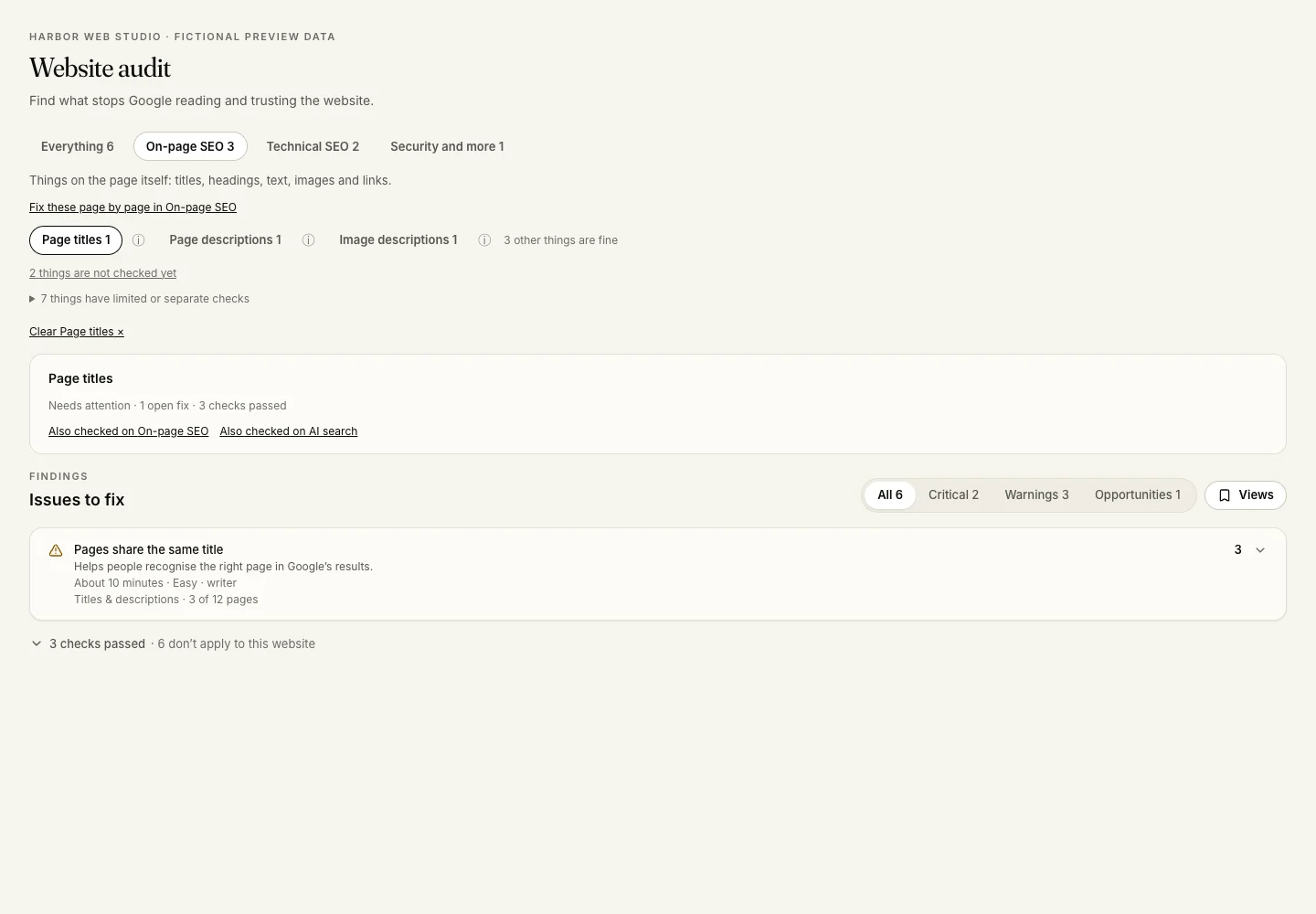
Expert view shows the full Checks list. On a smaller screen, choose Checks to open it. Choosing an item filters the issues and passed checks. Clear the item to return to its group, or choose Everything. Severity filters work with groups. Old category links and saved views still work, and their category filter can be removed.
Coverage is not the same as passing
Good means the item’s audit checks ran and passed. Partly checked names the part Arva SEO covers and the part it does not. A missing result never becomes a green tick. Image-description quality and address variants need fresh crawl evidence. If the sample is unavailable or an address is blocked, the new check is unverified, not passed. The result is a bounded sample, not proof of what Google indexed or what an image shows. Older audits did not keep which checks ran, so their item coverage stays uncertain until a new audit runs.
Page copy and search intent are not assessed by this audit. On new audits, Arva SEO automatically tries JavaScript on nearly empty pages that contain scripts, up to 50 pages per audit. Rendering counts appear under Content that loads late. Pages that cannot be rendered are left out of content findings; if none can be checked, there is no SEO Health score. This does not test every script or content that needs sign-in, clicks or form submissions. AI Readiness still checks the original HTML. Calls-to-action use the same five manual checklist items below the results. PageSpeed, AI search, Local and Pages keep their own results and scores; follow the links to see their details and dates. A check passed here does not say that those other tools passed.
Time estimates and exports
Guided findings include a plain title, a benefit and a rough estimate in minutes, with difficulty and who usually handles the fix. Estimates are a starting point; a website-wide issue can take longer.
Audit XLSX and CSV exports include Group, Item, Priority and Priority reason. The XLSX also lists confirmed passed checks under Checked and fine. The SEO file uses the same groups, as do reports and the AI connector.